
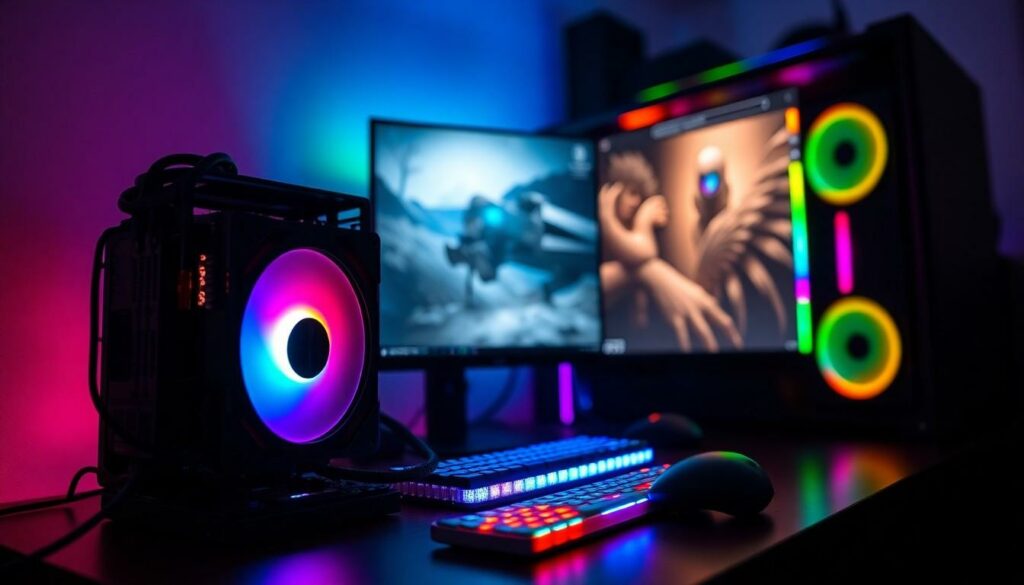
When it comes to gaming, the age-old debate rages on: does the CPU really affect FPS? Imagine your favorite game, a digital world bursting with color and chaos, but your frame rates are slower than a snail on a leisurely stroll. Frustrating, right? It’s like trying to run a marathon in flip-flops.
While many gamers focus on graphics cards, the CPU plays a crucial role in delivering those smooth, buttery frame rates. It’s the unsung hero, orchestrating the action and ensuring everything runs smoothly. So before you blame your lag on the internet or your buddy’s questionable Wi-Fi, consider the heart of your system. Understanding the relationship between CPU and FPS could be the key to unlocking your gaming potential. Let’s dive into this techy rabbit hole and discover if your processor is the secret sauce for those sweet frames per second.
Understanding CPU and FPS
The Central Processing Unit (CPU) plays a crucial role in gaming performance. This component processes instructions and coordinates tasks within the system.
What Is CPU?
A CPU is often referred to as the brain of a computer. It executes calculations, runs applications, and manages data flow. Multiple cores within a CPU enhance its ability to handle various processes simultaneously. Higher clock speeds translate to faster processing capabilities, which can significantly affect gaming performance. When games require complex calculations, a powerful CPU ensures smooth operation. Gamers should pay attention to their CPU specifications, as they determine the overall capability of their system.
What Is FPS?
Frames per second (FPS) measures how many individual images a game displays in one second. Higher FPS leads to smoother gameplay and better responsiveness. Most players seek FPS rates of 60 or more for optimal experiences. Specific conditions, such as graphical settings and hardware compatibility, also influence FPS performance. Each frame’s quality depends on both the CPU and GPU working together in harmony. Without a capable CPU, achieving high FPS may not be possible, highlighting the need for a balanced system.
The Relationship Between CPU and FPS

The CPU significantly affects FPS in gaming. Understanding its function is essential for optimizing performance.
How CPU Processes Information
The CPU processes information by executing instructions and managing data flow. A multi-core CPU handles numerous tasks simultaneously, increasing efficiency in complex gaming scenarios. Higher clock speeds enhance processing capabilities, allowing faster execution of game algorithms. Optimization of CPUs contributes directly to frame rates, especially in CPU-intensive games. Executing actions and commands efficiently enhances gameplay, resulting in smoother experiences. Therefore, investing in a capable CPU leads to better overall gaming performance.
Role of GPU in Gaming Performance
The GPU is crucial for rendering graphics, but it works closely with the CPU. While the GPU takes care of visual fidelity, the CPU handles game logic and AI computations. A balanced system requires both components to perform well in tandem. When a powerful GPU operates alongside an efficient CPU, FPS improves significantly. Bottlenecks occur when one component outpaces the other, affecting overall performance. Therefore, understanding the synergy between the CPU and GPU is necessary for optimal gaming experiences.
Factors Influencing FPS
Various elements affect frames per second in gaming performance. Understanding these connections helps optimize gameplay.
Importance of Game Optimization
Game optimization plays a crucial role in achieving higher FPS. Developers design titles with specific hardware capabilities in mind. When games run efficiently on a player’s system, they minimize unnecessary CPU and GPU loads, which enhances frame rates. Additionally, settings like resolution, texture quality, and shadow quality impact performance. Often, adjusting these settings can balance visual fidelity and gameplay fluidity. Players benefit from prioritizing game patches and updates, as these can fix performance issues and optimize resource usage.
RAM and Other Hardware Components
RAM and hardware components significantly influence FPS. Sufficient RAM ensures smooth data access for CPUs during gaming sessions. At least 8 GB of RAM is generally adequate for most games today, though 16 GB is ideal for advanced titles. Graphics cards complement CPUs, too, as they share the workload in rendering images. Additionally, storage types, such as SSDs versus HDDs, affect load times and performance, impacting overall gameplay experience. A well-rounded system with balanced specifications maximizes frame rates, reducing potential bottlenecks during intensive gaming moments.
Benchmarking CPU Impact on FPS
Benchmarking offers insights into how different CPUs influence FPS in various gaming scenarios. Testing different CPUs reveals their performance variations and helps in selecting the right component for optimal gaming.
Comparison of Different CPUs
Comparing CPUs involves analyzing their core counts and clock speeds. CPUs like Intel’s Core i9 and AMD’s Ryzen 9 typically provide better performance than lower-tier options. Performance benchmarks show that higher core counts often translate to improved FPS in CPU-intensive games. Additionally, clock speed plays a crucial role, as a CPU running at 4.0 GHz executes processes faster than one at 3.0 GHz. In multiplayer games, a CPU with greater single-core performance may affect gameplay responsiveness significantly.
Real-World Game Examples
Real-world game testing exemplifies CPU impact on FPS. In titles like “Battlefield V,” CPUs with more cores manage complex computations, leading to higher frame rates. “Shadow of the Tomb Raider” showcases that a faster CPU reduces frame drops during intense action sequences. Data from gaming benchmarks indicate that CPUs strongly influence performance in strategy games like “Civilization VI,” where processing numerous calculations improves game flow and reduces lag. Specifics reveal that CPUs play a vital part in multiplayer environments, where quick data handling is essential for a smooth gaming experience.
Conclusion
Understanding the CPU’s role in gaming performance is crucial for achieving optimal FPS. While many gamers focus solely on the GPU for graphics rendering, the CPU’s processing power directly influences gameplay smoothness. A balanced system where both the CPU and GPU operate efficiently is essential to avoid bottlenecks.
Investing in a capable CPU can significantly enhance overall gaming experiences, especially in CPU-intensive titles. As gaming technology continues to evolve, recognizing how each component contributes to performance will help players make informed decisions. Prioritizing a well-rounded system ensures a seamless and immersive gaming journey.


